
The Waitlist Management Page
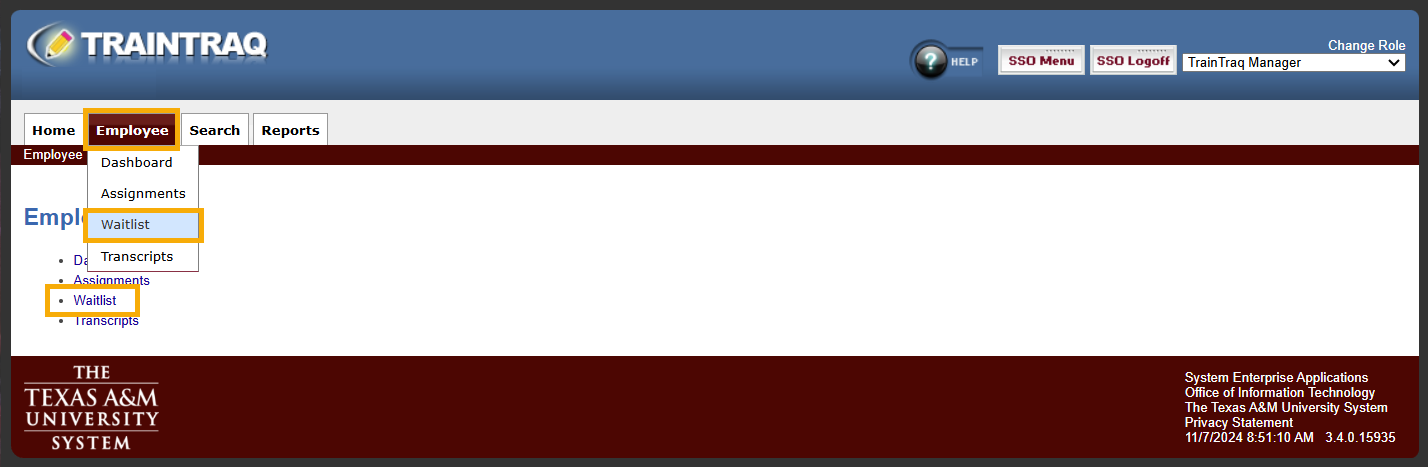 On the Waitlist page, select an employee by clicking the Select button to the left of their UIN.
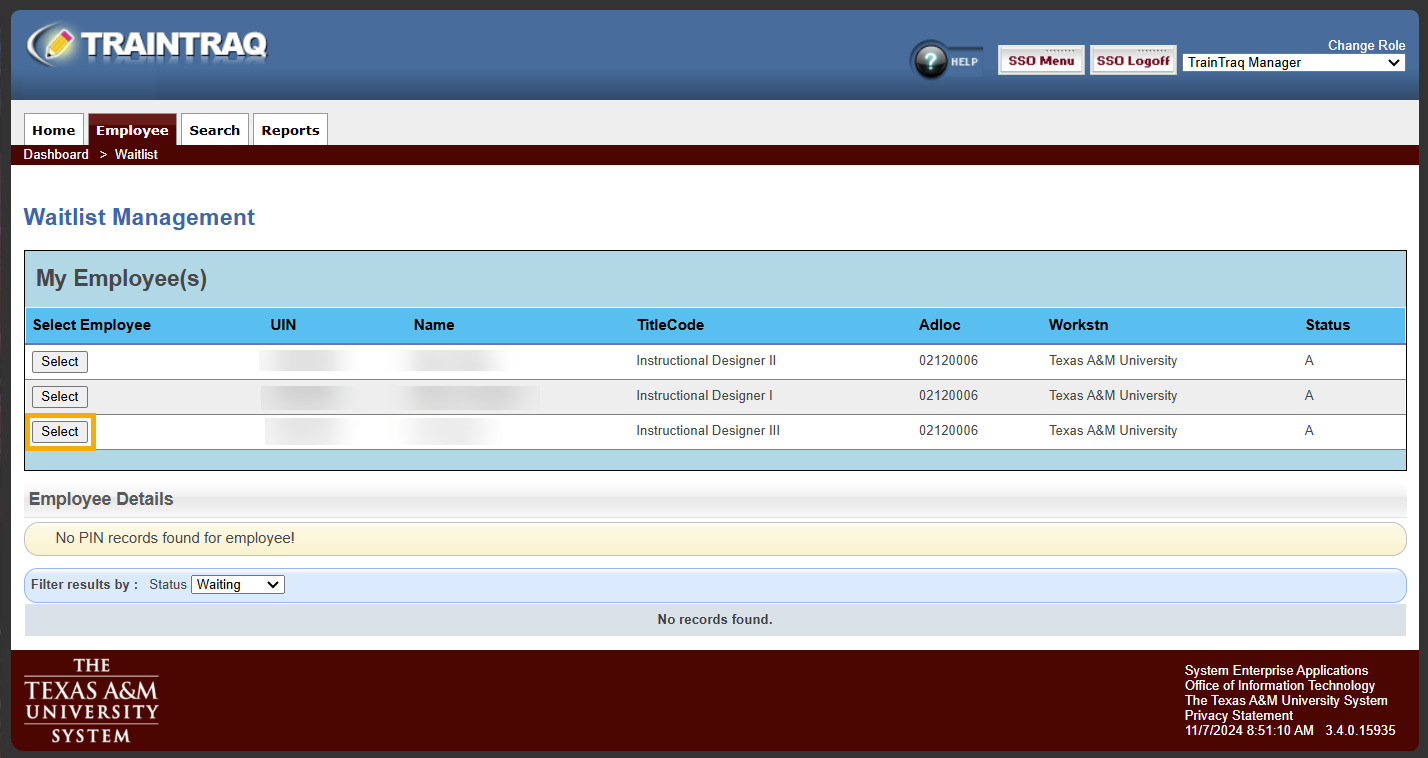 The page will then display:

- The Employee Details for the selected employee.
- A list of courses the selected employee is waitlisted for. You can learn more about each course by clicking on the “>>” button to the left of the course number.